
Introduction: Why Core Web Vitals Still Matter in 2026
Here’s the uncomfortable truth nobody’s telling you: in 2026, core web vitals are still baked into Google’s page experience system. Yes, even after helpful content updates and AI overviews changed the game. These performance metrics didn’t go away—they evolved.
The problem? Teams are now rewriting entire pages based on AI suggestions without ever glancing at the site’s performance history. They’re “improving” content while quietly destroying the technical foundation that helps search engines understand and rank it.
At The Active Media, we’re a B2B digital marketing agency laser-focused on high-performing websites, search engine optimization, and PPC. We’ve watched this pattern play out dozens of times with SMB clients who came to us after their organic traffic mysteriously tanked.
Core web vitals are Google’s real-user metrics measuring loading performance, interactivity, and visual stability. They’re derived from Chrome User Experience Report field data—not just your local Lighthouse test on fast office Wi-Fi. This article breaks down what core web vitals performance actually means, how AI-generated content can wreck it, and what non-developers should check before and after website changes.

What “Core Web Vitals Performance” Actually Means
Let’s kill a misconception right now: core web vitals performance isn’t a single score. It’s a set of thresholds—Good, Needs Improvement, or Poor—across three core web vitals metrics, evaluated using 28-day real user data.
Google treats these web vitals as part of its page experience signals. They influence search rankings when pages have similar content relevance, affect crawl frequency, and shape how search engines crawl and prioritize your pages. Think of it as a ranking factor tie-breaker that can cap your ceiling.
“Performance” here means: the percentage of real users who experience “Good” scores on key metrics. This is measured at both the specific URL level and the origin (domain) level. Google found that evaluating at the 75th percentile gives an accurate picture of what most visitors actually experience.
Here’s the kicker for site owners: core web vitals are measured on both mobile devices and desktop, with mobile usually being the bottleneck. Most SMB sites in the U.S. fail on mobile first.
When teams change content with AI tools, they must watch how those changes affect render path, image weight, font loading, and JavaScript files execution. Each of these directly alters your performance data.
The Current Core Web Vitals Metrics (LCP, INP, CLS) in 2026
As of March 2024, Google replaced First Input Delay (FID) with Interaction to Next Paint (INP) as a Core Web Vital. The three current metrics are:
- Largest Contentful Paint (LCP) – Measures the loading performance of the largest element in the viewport. Target: ≤ 2.5 seconds.
- Interaction to Next Paint (INP) – Measures responsiveness to user interactions. Target: ≤ 200 milliseconds.
- Cumulative Layout Shift (CLS) – Measures visual stability during page load. Target: ≤ 0.1.
These metrics are evaluated at the 75th percentile of user experiences over 28 days. Occasional bad sessions are tolerated, but persistent slowness tanks your scores. This matters because AI-generated content often introduces new elements—larger hero images, extra widgets, longer content blocks—that shift which element becomes the LCP target, change INP behavior, and worsen CLS.
Largest Contentful Paint (LCP): How Main Content Load Changes With AI Content
LCP typically corresponds to your hero image, background video, or a large above-the-fold text block. When AI rewrites page content, it often swaps or expands the largest element without considering the performance cost.
Your target: faster than 2.5 seconds on mobile connections for at least 75% of users. Test on 4G-equivalent throttling, not your office Wi-Fi.
Common AI suggestions that hurt LCP:
- Oversized full-width hero images (unoptimized PNG/JPG files)
- Auto-playing video in hero sections
- Heavy third-party scripts are loaded in the head
- Multiple font families pulling from external CDNs
Real example we’ve seen: A 2025 service business redesign swapped a simple text hero for a 3MB hero image. LCP doubled from 1.8s to 3.6s. Organic traffic dropped 23% within two months as CrUX data caught up.
At The Active Media, we handle this by compressing images, preloading key assets, using server-side rendering where possible, and carefully controlling above-the-fold modules before rolling out AI-driven content tests. Page load time is non-negotiable.
Interaction to Next Paint (INP): Responsiveness After You Add Scripts and Widgets
INP measures how quickly the page visually responds to user interactions—clicks, taps, keyboard actions—across the entire session. This replaced first input delay and input delay metrics because it captures the full interaction latency, not just the first click.
Our target for clients: INP below 200ms at the 75th percentile. Between 200-500ms is “Needs Improvement,” and above 500ms is “Poor.”
AI-driven content changes frequently introduce extra interactive components: accordions, chatbot widgets, sliders, sticky CTAs, forms. Each adds JavaScript that degrades INP, especially on mobile devices.
We saw a service-business site add three new marketing widgets suggested by AI tools. INP jumped into the “Poor” range even though PageSpeed lab metrics looked acceptable. The page felt sluggish to actual users, bounce rates increased, and conversions dropped.
Don’t just check “time to first paint.” Actually test click latency on key actions: menu open, “Book a Call” button, lead-form fields. Your website’s performance depends on real responsiveness.
Cumulative Layout Shift (CLS): Visual Stability When Layout Reacts to AI Content
CLS measures visual stability—unexpected movement of visible elements while users interact with the page. The “Good” target is ≤ 0.1 for 75% of sessions.
AI content changes often alter heading sizes, insert promo blocks, testimonials, FAQs, or ads above existing elements. Without reserved heights, this causes a layout shift that frustrates users and tanks your scores.
Concrete CLS killers:
- Images without explicit width/height attributes
- Dynamically injected chat bubbles appear late
- Late-loading fonts are causing text reflow
- Sticky banners pushing content down after load
The Active Media reduces CLS by reserving space via CSS, setting fixed image dimensions, using font-display strategies, and delaying nonessential injected elements until after the first interaction.
Quick CLS checklist after AI rewrites:
- Did we add anything above the fold that appears late?
- Did we change font loading behavior?
- Did we move the primary CTA?
Core Web Vitals vs. Traditional Page Speed Scores
Many teams rely on single-lab scores from PageSpeed Insights (that 0-100 number), while Google ranks based on field data from actual Chrome users. These can diverge significantly.
Lab metrics like FCP, TTI, and TBT are useful diagnostics. But core web vitals performance—the field data—is what search engines actually weight for page experience signals.
Here’s a scenario we see all the time: AI rewrites make the web page appear “lighter” in local testing. But for rural mobile users, the added third-party scripts and richer layout actually degrade CWV in the field. Your PageSpeed score shows 90+. Your GSC report shows “Poor.”
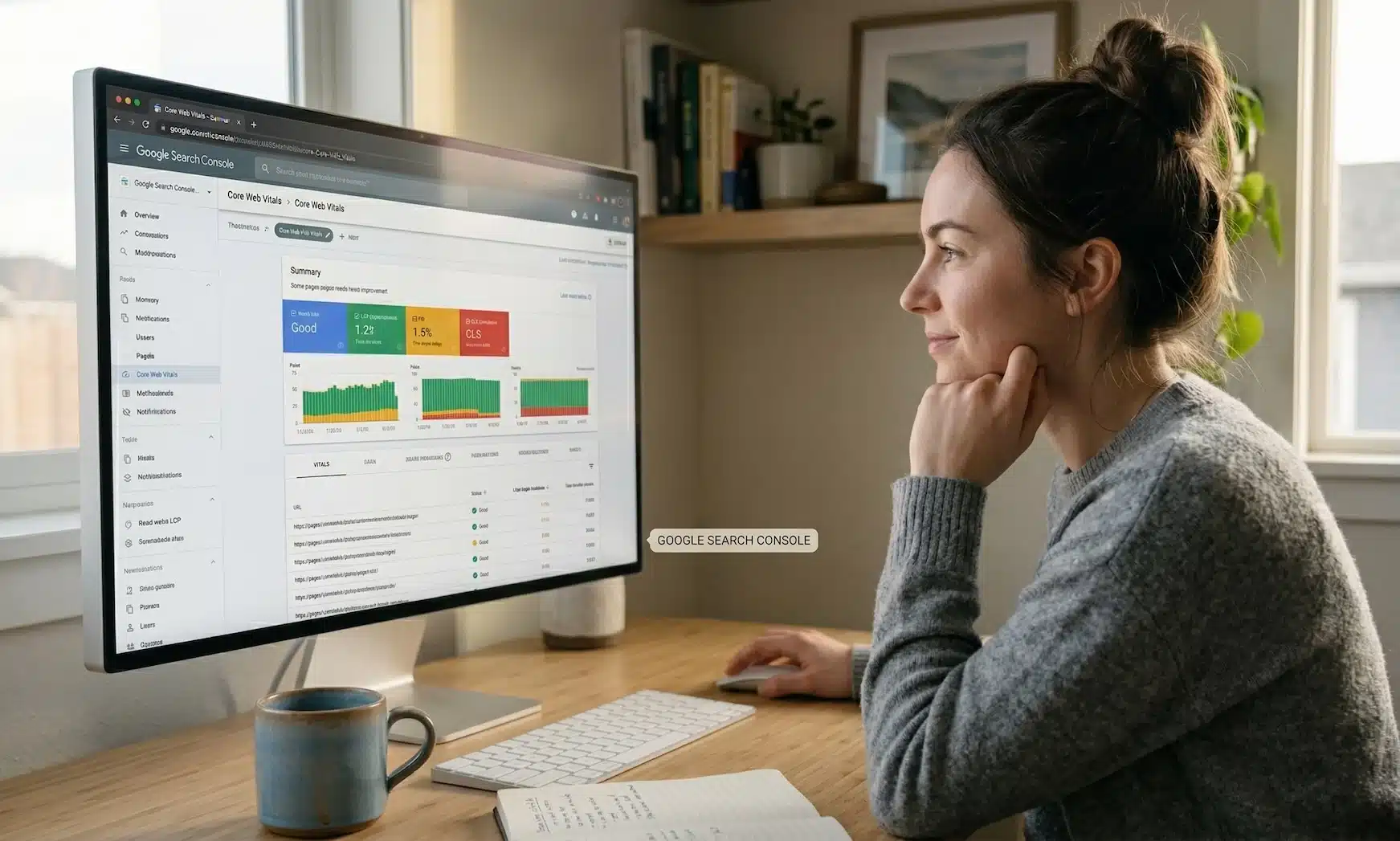
Google Search Console’s Core Web Vitals report groups relevant pages and labels them Good/Needs Improvement/Poor for mobile and desktop. Monitor these groups whenever content changes at scale across multiple pages.
Our process for SMB clients connects GSC CWV reports, CrUX performance data, and lab tools so stakeholders see both how the page feels locally and how Google’s real-world data sees it.
How the Google Page Experience System Uses Core Web Vitals
Google’s page experience system evaluates CWV alongside signals such as mobile-friendliness, HTTPS, safe browsing, and intrusive interstitials. It’s not a “penalty” system—it’s a quality indicator and tie-breaker.
Through 2026, content relevance and helpfulness remain primary ranking drivers. But CWV influences which pages of similar quality get visibility, especially for competitive queries. This directly impacts search engine results for your target audience.
The rollouts between 2021 and 2023 (mobile page experience, then desktop) established CWV as consistently monitored quality signals. They’re baked into search rankings permanently.
Here’s the nuance: improving core web vitals alone won’t rescue thin AI content. But poor CWV can absolutely cap the performance of excellent content, especially for small businesses relying on organic leads.
For business owners: Page experience is no longer a separate flashy update. It’s baked into how Google evaluates sites every day, and CWV is the clearest part you can measure and control. Technical SEO important? Absolutely—it’s foundational.
How AI-Generated Content Can Accidentally Damage Core Web Vitals
Let’s address the elephant in the room: teams pasting AI-written sections into CMSes without referencing design or performance history risk degrading CWV, even while “improving” the text.
Common AI-driven changes that harm CWV:
- Longer copy creating taller above-the-fold blocks
- More headings and images throughout page content
- Extra embeds (maps, videos, review widgets)
- Heavier templates suggested by page builders
- Duplicate content sections that inflate page size
Blindly accepting AI design suggestions (“add a comparison table,” “add a slider,” “embed interactive calculator”) without coordinating with dev/UX teams increases JavaScript files and DOM size, hurting LCP and INP.
Pattern we’ve seen repeatedly: Content teams migrate dozens of service pages to a new AI-assisted template. They see a temporary engagement spike. Then 2-3 months later, as CrUX data catches up, organic traffic tanks. The landing page that converted visitors suddenly doesn’t rank.
Every AI-inspired content or layout change should be treated as a performance change. Baseline CWV for key templates before rollout. Re-check search console and PSI after deployment.

Template and Component Bloat from AI Page Builders
Many AI-powered site builders assemble pages using dozens of small components, each with their own CSS and JavaScript. This creates unnecessarily heavy DOMs and longer main-thread blocking time.
This bloat affects:
- LCP: Slower resource loading from competing requests
- INP: Longer JavaScript tasks, delayed response to interactions
- CLS: Complex nesting causing more re-flows
Example: A service-area page built with a lean custom template loads with LCP under 2 seconds. The same content in an AI-generated multi-section template? LCP jumps to 4+ seconds. Same words, different technical factors, vastly different search rankings.
The Active Media often customizes or replaces bloated components with performance-oriented equivalents while keeping the AI-assisted content structure clients like.
Before rolling out AI-built pages across multiple pages: Audit HTML size, JS bundle size, and critical CSS. Your individual pages are only as fast as their heaviest components.
Media, Fonts, and Embeds Suggested by AI Content Tools
AI tools love recommending more visuals: “add hero image,” “add infographic,” “embed demo video.” Great for conversions—if optimized. Disastrous if not.
Specific pitfalls:
- Uncompressed hero images (2-5MB each)
- Multiple font families from third-party CDNs
- Auto-play background videos
- Third-party review widgets loading synchronously
- Google Maps iframes in header areas
- Social feed embeds with heavy JavaScript
Each impacts CWV differently: heavier LCP element, more render-blocking resources, higher INP from script overhead, and CLS from late-loading iframes pushing content down.
Content teams working from AI outlines should collaborate with dev/UX to convert suggestions into performance-friendly assets. Use lightweight WebP images, lazy-load below-the-fold content, and consider static screenshots instead of live embeds. A content delivery network can significantly improve asset delivery for your engaging content.
How to Measure Core Web Vitals Performance Before and After Content Changes
Measurement is where non-technical marketers have the biggest impact. Make CWV checks a standard step in AI-driven content workflows—not an afterthought.
Core tools we use and recommend:
- Google Search Console – Core Web Vitals report for field data
- PageSpeed Insights – Lab + field views for individual URLs
- Chrome User Experience Report – Percentile breakdowns and trends
- Lighthouse – In-browser testing for local iteration
Benchmark key templates (home, primary services, top blog posts, PPC landing pages) before rolling out content rewrites. Re-measure 2-4 weeks after significant changes for up to date performance data.
Track results in a simple spreadsheet: URL, date changed, what was changed (copy only, layout + copy, media), and resulting LCP/INP/CLS scores from PSI or GSC.
We routinely include CWV benchmarks in discovery calls, showing prospects how their current performance compares to industry norms and what realistic improvements could look like. It’s a powerful tool for prioritization.
Using Google Search Console’s Core Web Vitals Report
GSC’s CWV report aggregates URLs by template and labels them Good/Needs Improvement/Poor for mobile and desktop separately.
How to use it:
- Navigate to “Experience” > “Core Web Vitals”
- Check number of URLs in “Poor” on mobile first
- Review which LCP/INP/CLS issues are flagged
- Click into specific URL groups to see affected pages
- Check internal links between problematic pages for patterns
Annotate major AI-driven content rollouts in your documentation. Revisit this report 28-60 days later. An increase in affected URL counts after content changes is a red flag that templates—not just content—are hurting performance.
Don’t forget to check your robots txt file isn’t blocking resources needed for proper CWV measurement.
Using PageSpeed Insights and Lighthouse for Spot Checks
PageSpeed Insights provides both lab data (Lighthouse) and field data (CrUX) for individual URLs. Both views matter.
Simple process:
- Run PSI on a page before changes—screenshot results
- Apply AI-driven changes
- Re-test in PSI
- Watch for changes in LCP, INP, CLS, and main-thread blocking time
- Check if “Core Web Vitals assessment” status changed from Passed to Failed
Test on mobile mode first. That’s where most SMB traffic and CWV failures occur.
Lighthouse in Chrome DevTools is useful for local iteration—testing variants of hero layouts or script loading orders before pushing to production. A large drop in PSI status after AI content rollout is a hard stop signal requiring developer review.
Proper schema markup and structured data won’t help if the page won’t load. Rich snippets mean nothing if users bounce from slow pages. Even perfect canonical tags can’t save broken links or poor website speed.
Practical Optimization Strategies When You’re Updating Content With AI
AI is a powerful tool for content acceleration. But performance must be deliberately protected. Here’s the pragmatic checklist we use with clients:
- Keep templates lean and purpose-built
- Control above-the-fold weight religiously
- Optimize every media asset
- Manage third-party scripts with discipline
- Validate changes with CWV tools before scaling
Most SMB sites don’t need exotic performance engineering. Consistent, disciplined basics are enough to reach “Good” CWV on key pages and significantly improve search engine rankings.
We combine these strategies with broader SEO work—technical SEO, content strategy, PPC landing page development—to turn CWV gains into measurable lead growth. Technical aspects matter because they improve SEO and convert visitors.
Content and Layout Decisions That Protect LCP and INP
- Keep hero sections simple: one strong headline, one supporting visual, one primary CTA
- Ensure the main LCP element is optimized and loaded early
- Minimize above-the-fold scripts—avoid stacking chat widgets, pop-ups, sliders in the critical path
- Load non-essential scripts after user interaction with defer/async strategies
- Limit custom fonts and font weights; use system fonts where acceptable
- Preload primary web fonts to reduce layout shifts
- Evaluate AI design suggestions through a “main-thread budget” lens
Each interactive component has a cost. Responsive design doesn’t mean cramming everything above the fold.
Media and Asset Optimization When AI Recommends “More Visuals”
Image optimization basics in business terms:
- Compress images to under 100KB for heroes when possible
- Use responsive sizes for different devices
- Serve WebP/AVIF formats where supported
- Lazy-load anything below the fold
- Use static poster images linking to video pages instead of auto-play heroes
- Consolidate icons and small graphics
- Remove unused image variants from AI design iterations
We often pair fresh AI-assisted copy with new performance-optimized brand imagery shot specifically for web use, rather than grabbing oversized stock assets. Multiple versions of the same image waste bandwidth.
Managing Third-Party Scripts, Widgets, and Tracking
AI tools rarely consider performance cost when suggesting new tools. Humans must deliberately decide what to include.
- Audit third-party scripts quarterly, especially after content refreshes
- Remove tools that no longer provide measurable business value
- Load non-critical scripts after initial render
- Avoid placing heavy scripts in the head
- Group experiments: one set of changes at a time, then measure
An SEO expert knows that page speed isn’t just about content—it’s about everything that loads with it.
How The Active Media Integrates Core Web Vitals Into SEO and Lead Generation
For our SMB clients, CWV improvements are always tied to business outcomes: more qualified leads, lower bounce rates from PPC, and better organic visibility. Higher search engine rankings mean nothing if pages don’t convert.
We incorporate CWV performance into initial website audits, technical SEO roadmaps, and ongoing reporting. Discovery calls often include a quick live CWV review of the prospect’s top pages—it’s eye-opening and delivers numerous benefits for prioritization.
When AI-driven content changes are planned—rewriting service pages, launching a resource hub—we sequence work deliberately:
- Stabilize templates and performance first
- Scale content updates second
- Monitor CWV and conversions together
Our services—responsive web development, technical SEO, AI search optimization, PPC landing page design—are executed with CWV guardrails in place. Performance isn’t an afterthought. It’s the foundation your positive user experience sits on.
Ready to see where your site stands? Book a discovery call or fill out our contact form. We’ll review your current core web vitals performance and map out specific, realistic improvements for 2026. Not ready to jump on a call? Sign up for our free newsletter here and get weekly news and insights on how SEO works in simple terms.
Let’s get your competition right in your rearview mirror.